How PolyTrack Track Codes Work Under the Hood
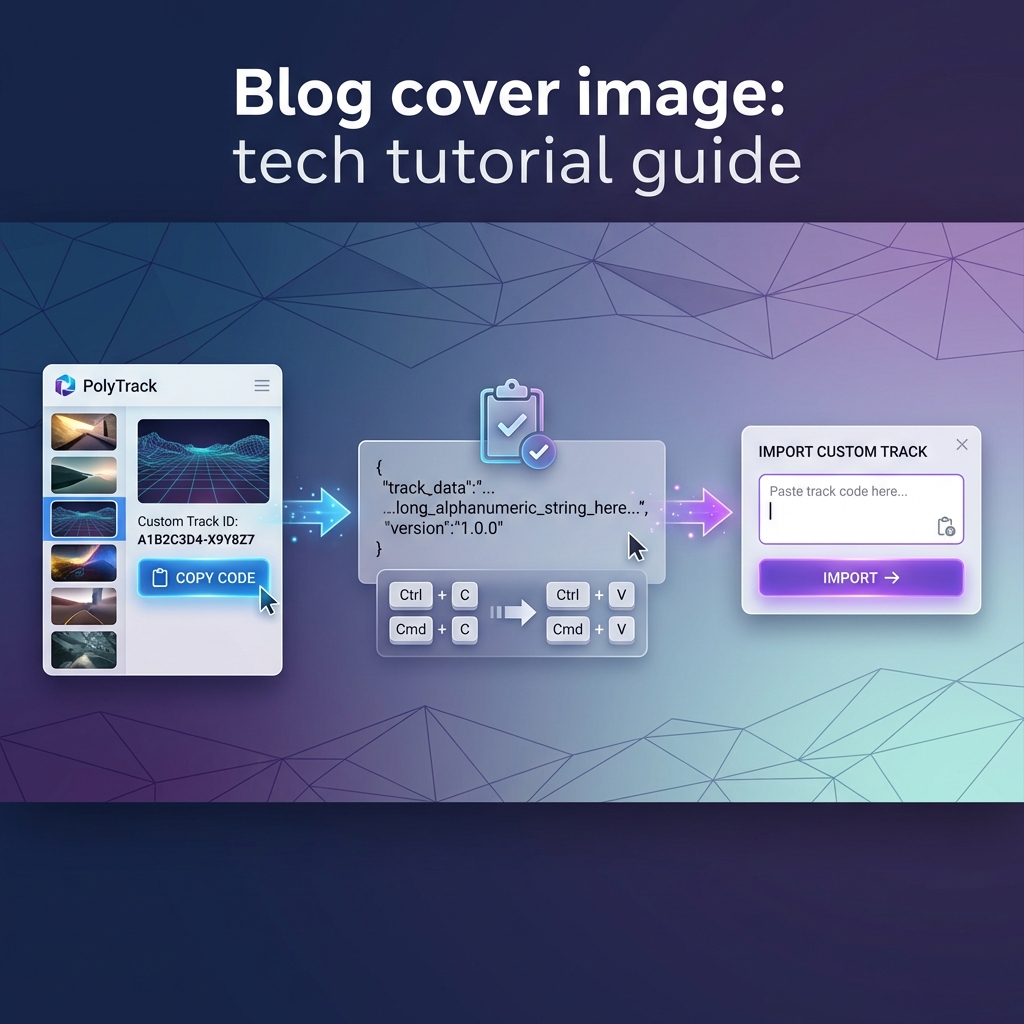
Every track on PolyTrackCodes exists as a single string of characters. Copy it, paste it into the game, and a full 3D racing track materializes from what looks like random gibberish. But that string is not random — it is a compressed, encoded blueprint containing every piece of geometry, every checkpoint, every ramp angle, and every surface type in the track.
This article breaks down how track codes actually work: what format they use, what data they encode, how different versions differ, and why some codes fail to load.
What Is a Track Code?
A PolyTrack track code is a serialized representation of a track's geometry encoded as a text string. When you build a track in the editor and export it, the game takes every piece you placed — its type, position, rotation, and properties — and converts that structured data into a compact string that can be shared as plain text.
Think of it like saving a spreadsheet: the file stores row/column data, cell formatting, and formulas. A track code stores block types, 3D coordinates, orientation angles, and surface properties.
Here is what a typical track code looks like:
PolyTrack24pdDQnlgCCCAAA9KZhm1nib5GVKqgfTURNjIXb50P...
The string is usually between 100 and 2000+ characters long, depending on track complexity.
Track Code Versions
PolyTrack has gone through several major updates, and the track code format has evolved with each one. You can identify the version by looking at the prefix of the code:
| Version | Prefix | Era | Status |
|---|---|---|---|
| v3 | v3_ or starts with raw data | Early PolyTrack (2023) | Legacy, still loadable |
| PolyTrack1 | PolyTrack1 | Mid-era (2024) | Supported but outdated |
| PolyTrack2 | PolyTrack2 followed by version digits | Current (2025-2026) | Active standard |
v3 Format (Legacy)
The earliest public format. v3 codes are typically shorter and encode a simpler set of track pieces. The block library was smaller, so fewer bits were needed per piece. These codes are still loadable in current versions of the game, but tracks built with v3 may display slightly different physics behavior because the engine has been updated since these tracks were created.
PolyTrack1 Format
The first major format revision. PolyTrack1 introduced a richer block library (more curve types, more surface materials) and a more efficient encoding scheme. Codes are generally longer than v3 but still relatively compact.
PolyTrack2 Format (Current)
The active standard as of 2026. PolyTrack2 codes include support for all current editor features: banked curves, Y-intersections, smooth transitions, checkpoints, start/finish gates, and the expanded surface material system.
A PolyTrack2 code typically begins with PolyTrack2 followed by a version identifier (like 4pd) and then the encoded track data.
What Data Does a Track Code Contain?
Each track code encodes the following information for every block in the track:
1. Block Type ID
Every piece in the editor has a unique numeric identifier. A straight road piece, a left-banked curve, a checkpoint gate, a ramp — each has its own ID. The code stores which block type was placed.
2. Position (X, Y, Z)
The 3D coordinates of each block in the track's grid system. PolyTrack uses a discrete grid, so positions are stored as integers rather than floating-point numbers, which significantly reduces code length.
3. Rotation
The orientation of each block. Blocks can be rotated in 90-degree increments around the vertical axis, and some blocks support additional pitch/roll orientations for elevated or banked geometry.
4. Surface Properties
Some blocks carry additional data about surface material (normal road, ice, boost pad, etc.) which affects the physics of cars driving over them.
5. Metadata
The code header contains track-level metadata: format version, grid dimensions, and potentially the track name and creator tag.
The Encoding Process
The raw track data (block types, positions, rotations) starts as structured binary data. Converting it to a shareable text string involves several steps:
Step 1: Serialization
The track's block list is converted into a flat binary sequence. Each block occupies a fixed number of bits based on the format version.
Step 2: Compression
Repeated patterns are compressed. If a track has 20 identical straight pieces in a row, the encoding does not store all 20 individually — it uses run-length encoding or similar techniques to compress repetition.
Step 3: Base Encoding
The compressed binary data is converted to a text-safe string using a base encoding scheme. PolyTrack appears to use a variant of Base62 encoding (using A-Z, a-z, 0-9) which produces URL-safe strings without special characters.
This is why track codes look like alphanumeric gibberish — they are binary data rendered in human-readable characters.
Code Length vs. Track Complexity
There is a direct correlation between code length and track complexity. Here is real data from our track library:
| Code Length | Typical Track | Example |
|---|---|---|
| 50-150 chars | Simple: 5-15 blocks, minimal geometry | Short straights with a jump |
| 150-400 chars | Medium: 20-50 blocks, basic circuits | Standard racing loops |
| 400-800 chars | Complex: 50-100 blocks, multi-section | Technical courses with elevation |
| 800-1500 chars | Large: 100-200 blocks, elaborate builds | Themed environments (cities, mountains) |
| 1500+ chars | Massive: 200+ blocks, architectural | Full recreations (Monaco, complex Kacky) |
The longest codes in our library exceed 2000 characters. These typically belong to tracks with extensive decorative geometry or architectural elements that use many unique block types.
Why Some Simple-Looking Tracks Have Long Codes
Occasionally, a track that looks visually simple has a surprisingly long code. This usually means the creator used many unique block types (each requiring its own type ID in the encoding) rather than repeating the same piece. Repeated pieces compress well; diverse pieces do not.
Why Track Codes Sometimes Fail to Load
If you have ever pasted a track code and received an error or a blank editor, one of these issues is likely the cause:
1. Truncated Code
The most common failure. If even one character is missing from the end of the code, the decoder cannot reconstruct the final blocks. Always use the "Copy Code" button on our site rather than manually selecting text — manual selection often misses the last few characters.
2. Version Mismatch
Loading a PolyTrack2 code in a very old version of the game (or vice versa) will fail because the decoder does not recognize the block type IDs or metadata format. This is rare with the browser version (which auto-updates) but can occur with cached offline versions.
3. Extra Characters
Pasting a code with leading/trailing spaces or line breaks can cause parsing failures. Some chat applications (Discord, WhatsApp) insert invisible formatting characters that corrupt the code.
4. Encoding Corruption
If a code passes through a system that modifies text — such as autocorrect, smart quotes, or character encoding conversion (UTF-8 to ASCII, for example) — individual characters can be changed, rendering the code undecodable.
Fix: If a code fails, try these steps in order:
- Re-copy from the original source
- Paste into a plain-text editor first to strip formatting
- Check that the code starts with a valid prefix (
PolyTrack2,PolyTrack1, orv3) - Try a different browser
Decoding Track Codes: Tools and Exploration
For technically curious players, we maintain a track decoding script that can extract basic metadata from a PolyTrack code:
node scripts/decode-polytrack.js "v3_YOUR_CODE_HERE"
The sample script supports v3 and PolyTrack1 format codes and will output:
- Format version
- Number of blocks
- Grid dimensions
- Block type distribution
Note that PolyTrack2 support for the decoder is still experimental due to the format's increased complexity.
The Future of Track Codes
As PolyTrack's editor continues to expand with new block types, surface materials, and potentially scripted elements, the track code format will likely evolve further. Possible future developments include:
- Streaming codes that load tracks in chunks for very large builds
- Versioned metadata that stores creator information and difficulty ratings within the code itself
- Compressed sharing via QR codes for mobile users
- Interoperability with external track design tools
The elegance of PolyTrack's code system is that any track, no matter how complex, can be shared as a single string of text. No file uploads, no accounts, no downloads — just copy, paste, and race.
Summary
Track codes are the backbone of PolyTrack's sharing ecosystem. Understanding how they work helps you:
- Diagnose import failures (check for truncation, version mismatches, extra characters)
- Estimate track complexity from code length before loading
- Appreciate the engineering behind a seemingly simple "copy and paste" system
Browse our full track library to find codes for 100+ community tracks, or use the "Copy Code" button on any track page for guaranteed clean copies.